Best Video Editing Institute in Noida Extension

Video Editing Course in Noida Extension with Practical Training
Learn Premiere Pro, After Effects & Professional Video Editing with Placement Support

Join the most trusted video editing courses in Noida Extension and become a professional editor for YouTube, Reels, Movies, Ads & more.

Industry Expert Trainers

100% Practical Training

Live Projects & Portfolio

Placement Assistance

Years of MAAC Legacy

0 +

Students Trained

0 +

Placement Rate

0 %

Industry Partners

0 +

Book a Free Demo Class

Enter your name & phone number & begin your journey with us.

This field is required.

Why Choose Video Editing as a Career?

If you are looking for the best video editing course in Noida Extension, this program helps you learn practical editing skills used in today’s content and media industry. From YouTube videos to Instagram reels, ads, podcasts, and corporate videos, skilled editors are in high demand. Get hands-on training on Adobe Premiere Pro, After Effects, transitions, color correction, audio sync, and motion graphics near Gaur City and Greater Noida West.

High Demand

Every business, creator & brand needs professional video content.

Creative Freedom

Bring ideas to life with your creativity and storytelling.

Great Earnings

Freelance, full-time or remote- you choose your path.

Endless Opportunities

Work in films, YouTube, ads, social media, corporate & more.

What You Will Learn

Software Covered Across the Video Editing Course

  • Adobe Premiere Pro
  • Adobe After Effects
  • Adobe Audition
  • DaVinci Resolve
  • CapCut

Our Video Editing Courses

Looking for the best video editing course in Noida Extension? Our programs are designed for students, freelancers, and job seekers who want practical skills with real career value. We offer video editing classes in Noida Extension covering Adobe Premiere Pro, motion graphics, reels editing, and cinematic workflows.

Beginner Course

3 Months

Perfect for beginners who want to start their journey in video editing.

Advanced Course

6 Months

Learn advanced editing, motion graphics and professional techniques.

Professional Diploma

9-12 Months

Complete professional training with portfolio, placement & industry exposure.

As a trusted video editing institute in Noida Extension, we provide a professional video editing course in Noida Extension with hands-on projects, portfolio support, and expert guidance. Students from Greater Noida West can also join our video editing training in Greater Noida West. Learn specialized modules like Premiere Pro course in Noida Extension, After Effects course in Noida Extension, and YouTube video editing course in Noida Extension for creator-focused careers.

Video Editing Course — Full Curriculum
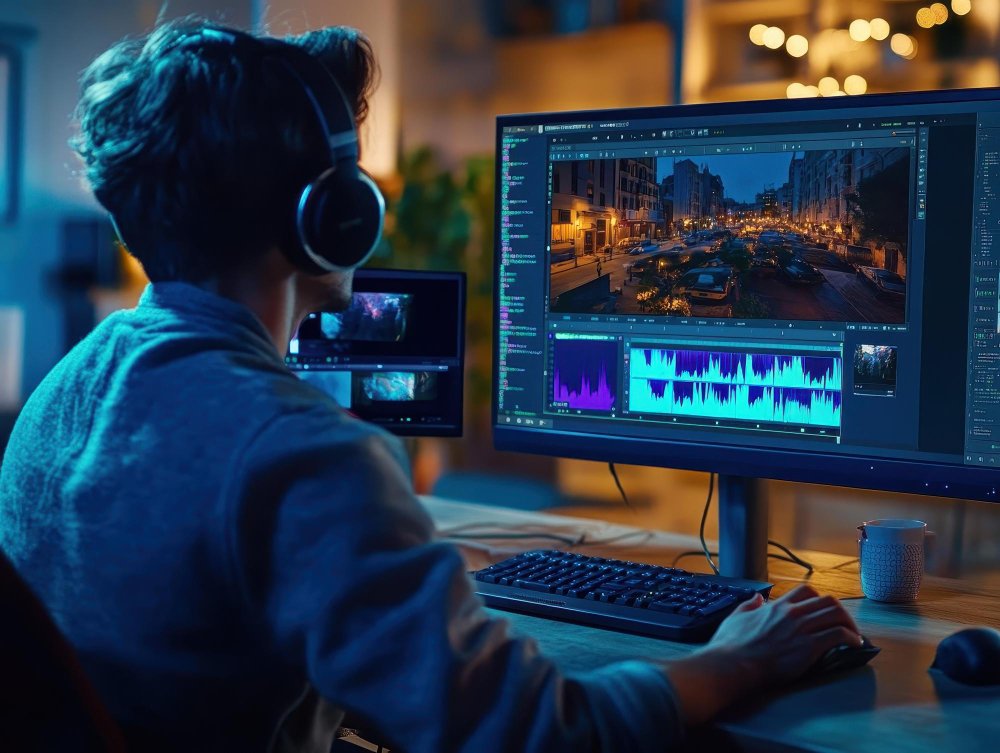
This video editing curriculum covers the full post-production pipeline — from raw footage to final delivery. Each module is built around hands-on practice. By the time you finish, you will have a portfolio of real edited pieces, not just theoretical knowledge.

Topics Covered

Software / Tools

What is video editing — history and creative role

Adobe Premiere Pro (interface orientation)

Understanding frame rates (24fps, 30fps, 60fps) and resolution (HD, FHD, 4K)

Adobe Premiere Pro

Video file formats: MP4, MOV, MXF, ProRes — when to use what

Premiere Pro / File settings

Codecs explained: H.264, H.265, DNxHD

Premiere Pro / Media Encoder

The post-production pipeline: shoot → ingest → edit → colour → audio → export

Premiere Pro (full pipeline overview)

Setting up a project: naming conventions, folder structure, proxy workflow

Premiere Pro Project panel

Importing media, creating sequences, understanding the timeline

Premiere Pro Timeline

Keyboard shortcuts every editor must know

Premiere Pro

Topics Covered

Software / Tools

The 5 types of cuts: straight cut, jump cut, L-cut, J-cut, match cut

Premiere Pro

Pacing and rhythm — how editing controls emotion

Premiere Pro

Continuity editing and the 180° rule

Premiere Pro

Multi-camera editing: syncing multiple angles

Premiere Pro (Multi-Camera Source Monitor)

Assembling a rough cut from raw footage

Premiere Pro

Trimming tools: Ripple, Roll, Slip, Slide edits

Premiere Pro Trim Monitor

Working with B-roll and cutaways

Premiere Pro

Creating a 60-second short film edit (Live Project 1)

Premiere Pro (graded project)

Topics Covered

Software / Tools

Built-in transitions: dissolve, wipe, zoom, spin

Premiere Pro Effects Panel

When (and when not) to use transitions — creative vs. cheap

Premiere Pro

Video effects: blur, distortion, stylize, transform

Premiere Pro Effects

Nested sequences and pre-composing

Premiere Pro

Speed ramps: fast motion, slow motion, freeze frames

Premiere Pro Time Remapping

Creating a dynamic Instagram Reel / YouTube Short (Live Project 2)

Premiere Pro + CapCut

Intro to CapCut: mobile-first editing for social media

CapCut

Trending transitions workflow for Reels and Shorts

CapCut / Premiere Pro

Topics Covered

Software / Tools

Creating text layers: font selection, sizing, tracking

Premiere Pro Essential Graphics

Kinetic typography — making text move with meaning

Premiere Pro / After Effects

Lower thirds: on-screen names, captions, location tags

Premiere Pro Essential Graphics

Title sequences — intro and outro design

Premiere Pro / After Effects

Animating text with keyframes inside Premiere Pro

Premiere Pro (keyframe animation)

Using Motion Graphics Templates (.mogrt files)

Premiere Pro (.mogrt templates)

Essential Graphics panel workflow

Premiere Pro

Exporting captions and subtitle files (SRT)

Premiere Pro Captions panel

Topics Covered

Software / Tools

Audio fundamentals: sample rate, bit depth, levels (dBFS)

Adobe Audition

Dialogue cleanup: reducing room noise, hiss, echo

Adobe Audition (Noise Reduction, DeReverb)

EQ, compression, and limiting explained simply

Adobe Audition Essential Sound panel

Adding and mixing background music without overpowering dialogue

Audition / Premiere Pro Audio Track Mixer

Sound effects (SFX): sourcing and layering

Audition / free SFX libraries

Syncing external audio (from a recorder) with video

Premiere Pro / Audition (PluralEyes concept)

Podcast audio workflow: recording, cleaning, exporting

Adobe Audition

AI-powered audio cleanup and transcript-based editing

Descript

Topics Covered

Software / Tools

Colour correction vs. colour grading — the difference

Premiere Pro Lumetri

Reading scopes: Waveform, Vectorscope, Histogram

Premiere Pro / DaVinci Resolve

Primary correction: exposure, white balance, contrast

Premiere Pro Lumetri

Secondary correction: HSL qualifier, masking

Premiere Pro Lumetri / DaVinci Resolve

Lumetri Color panel deep dive

Premiere Pro

Creating a cinematic look — LUTs explained and applied

DaVinci Resolve (LUT browser)

Matching colour across multiple clips and cameras

DaVinci Resolve (Still grabs, Gallery)

DaVinci Resolve workflow: nodes, Power Windows, Fusion tab intro

DaVinci Resolve

Colour grading a 2-minute short film (Live Project 3)

DaVinci Resolve (graded project)

Topics Covered

Software / Tools

After Effects interface: compositions, layers, timeline

Adobe After Effects

Keyframe animation: position, scale, rotation, opacity

After Effects

Easing and graph editor — making motion feel natural

After Effects Graph Editor

Shape layers and path animations

After Effects

Text animation presets and custom animators

After Effects

Green screen / chroma key removal and compositing

After Effects Keylight + Lumetri

Tracking: point tracking, planar tracking (mocha AE)

After Effects / mocha AE

Particle systems and basic simulations

After Effects Particular / CC Particles

Intro to AI video generation and cleanup

Runway ML

Integrating After Effects comps into Premiere Pro (Dynamic Link)

Dynamic Link (AE + Premiere Pro)

Topics Covered

Software / Tools

Export settings for YouTube (4K, 1080p, bitrate recommendations)

Adobe Media Encoder

Export for Instagram Reels and Stories (9:16, size limits)

Media Encoder

Export for broadcast / TV (delivery specs, safe zones)

Media Encoder / Premiere Pro

Exporting for client review: H.264 proxy, Vimeo review links

Premiere Pro / Vimeo

Adobe Media Encoder queue and batch export

Adobe Media Encoder

Archiving projects: media management, trimming projects

Premiere Pro Project Manager

Creating a YouTube channel trailer (Live Project 4)

Premiere Pro + Media Encoder

Building your first freelance delivery package

Premiere Pro

Topics Covered

Software / Tools

Portfolio structure: what editors actually put in a showreel

Premiere Pro / DaVinci Resolve

Building a 90-second showreel from course projects

Premiere Pro (showreel edit)

Setting up a freelance profile (Fiverr, Upwork, LinkedIn)

LinkedIn / Behance

Pricing your work: how to quote editing projects

Spreadsheet / rate card template

Client communication: brief, revision rounds, final delivery

Email / Google Docs brief templates

Copyright, music licensing, and stock footage — staying legal

Industry sectors: film, ad agencies, OTT, corporate, wedding

Mock interview and portfolio review session

Portfolio review

Industry visit / guest lecture (Delhi NCR professionals)

Internship support: CV, reel, and placement assistance

MAAC Placement Cell

Why Students Trust MAAC Noida Extension

Industry Expert Faculty

Modern Labs with Latest Software

Live Projects & Practical Training

Placement Support

Flexible Batches (Weekdays/Weekend)

Convenient Location
Near Gaur City

Career Opportunities after Video Editing Course

After completing the video editing course with MAAC, you can work in multiple fields or start your own freelance career.

Average Salary for Video Editor in India

₹15,000 - 50,000+ Per Month

(Based on skills and experience)

Placement Support

Industries Around the World That Hire Video Editors

Video is now used everywhere, from entertainment to marketing. After completing an advanced video editing course, students can explore opportunities in different industries where editing skills are needed to create films, ads, online content, and branded videos.

  • Film and television production companies
  • Advertising and digital marketing agencies
  • YouTube channels and online content platforms
  • Corporate media and brand communication teams
  • News, broadcasting, and media networks
  • Event production and wedding film studios
Noida Extension's #1 Video Editing Institute

Training Certification

MAAC Certificate for Professional Video Editing Training

After completing the course, students receive a certificate from MAAC that reflects their training in professional video editing tools and workflows. The certificate course in video editing also shows that the student has completed practical assignments and editing projects.

  • Certificate issued by MAAC after successful course completion
  • Based on practical training, assignments, and project work
  • Can be added to your portfolio when applying for editing roles
Noida Extension's #1 Video Editing Institute

Common Questions

What software do I learn in the Video Editing course at MAAC Noida Extension?

Adobe Premiere Pro for editing, DaVinci Resolve for colour grading, After Effects for motion graphics and visual effects integration, and Adobe Audition for sound mixing and audio cleanup. The course also covers reel making for Instagram and YouTube Shorts, and podcast production — including recording, editing, and publishing audio content. On the AI side, students learn Adobe Firefly for AI-assisted design, Descript for AI-powered transcript-based editing and podcast production, and Runway ML for AI video generation and cleanup. The course is structured around the full post-production workflow — so you learn how raw footage moves from the camera through the edit, colour, audio, and final delivery, not just how individual tools work in isolation.

Is Video Editing a good career option in India in 2026?

Video Editing is one of the most in-demand creative skills in India right now. OTT platforms, ad agencies, YouTube channels, corporate brands, news media, edtech companies, and wedding production houses all hire editors on a full-time and freelance basis. Beyond traditional editing, reel makers and podcast producers are now distinct roles in high demand — brands, influencers, and media companies all need people who can produce short-form social content and audio shows consistently. AI-assisted editing is also opening new opportunities: editors who can work with tools like Runway ML and Descript are being hired specifically to speed up content pipelines. The demand is consistent across industries — not limited to film or entertainment. For students in Noida Extension and Greater Noida West, agencies and digital content studios in the Delhi NCR corridor are actively hiring trained editors. The Video Editing course at MAAC Noida Extension is available in both classroom and online modes, with instruction primarily in Hindi and English or Bangla available depending on faculty expertise.

What jobs can I get after a Video Editing course from MAAC?

Most people start as Video Editor, Junior Editor, Content Editor, or Reel Maker at a digital agency, production house, or media company. Podcast Producer and Audio Editor are also growing entry-level roles as brands and media companies launch their own shows. From there career paths move toward Senior Editor, Post-Production Supervisor, and Content Director roles. AI-savvy editors who can work with Runway ML and Descript are being hired specifically to manage high-volume short-form content pipelines. Many editors also freelance — handling reels, ad films, YouTube content, podcasts, and corporate videos for multiple clients simultaneously. Business owners and entrepreneurs who take the course often use the skills to produce content for their own brand, cutting the cost of outsourced production entirely. The placement page has real job titles from past MAAC batches if you want a concrete reference point.

How long does a Video Editing course take at MAAC Noida Extension?

Short focused Video Editing courses can be completed in 3 to 6 months and are ideal for students who want to get job-ready quickly or add editing to an existing skill set. Longer Career programmes covering the full post-production pipeline — editing, colour grading, motion graphics, and audio — run up to 12 months. Fees start from Rs. 25,000 for short courses and go up to Rs. 4,00,000 for the full Career track. EMI options are available. New batches start every Monday in both classroom and online modes, so you can join at any point in the year.

Do I need any prior experience to join the Video Editing course?

No prior editing or design experience is needed. There is no class or age requirement either — students join from Class 6 upward, alongside graduates, working professionals, and business owners who want to create content for their own brand. You need basic comfort with a computer and a genuine interest in how video content is put together. Of all the creative courses at MAAC, Video Editing has one of the gentler learning curves — which makes it a strong entry point for anyone new to the creative field.

What is the salary of a Video Editor in India?

Entry-level Video Editors at agencies and production houses in Delhi NCR typically earn Rs. 15,000 to Rs. 30,000 per month. With 2–3 years of experience and a strong portfolio of released work, that range moves to Rs. 40,000 to Rs. 70,000. Senior editors and post-production leads at established companies earn more. Freelancers with a solid client base — particularly those handling ad films, brand reels, or YouTube content — can earn significantly above the salaried range once they build volume. The ceiling depends on the quality of your work and the clients you attract.

Can I do a Video Editing course alongside my studies or job?

Yes. Evening, weekend, and online batches are all available, making it practical to pursue the course without leaving your current studies or job. New batches start every Monday, so you can join at a time that suits your schedule rather than waiting for a fixed intake window. Instruction is primarily in Hindi, with English and Bangla available depending on faculty expertise.

I run my own business. Can Video Editing help me create content for my brand?

Yes — and this is one of the most practical reasons business owners join the course. Many entrepreneurs and brand owners at MAAC Noida Extension take Video Editing specifically to produce their own social media content, product videos, promotional reels, and YouTube material without outsourcing every piece to an agency. The skills you pick up — editing, colour correction, basic motion graphics, audio cleanup — are directly applicable to building an independent digital presence. Several students from Noida Extension and Greater Noida West use these skills to manage their brand’s entire video output in-house.

Join Our Video Editing Training

Guranteed Job Placement Program

  • Expert-led training
  • Hands-on projects
  • Globally recognized certification

Your Creative Career Starts in Noida Extension

Join thousands of students who chose MAAC Noida Extension as their launchpad. Book a free demo class today — no commitment required.